Administration and Customization > The Options Window
Open View > Options and select the Integration tab. Each setting is described below using the label shown in the window.
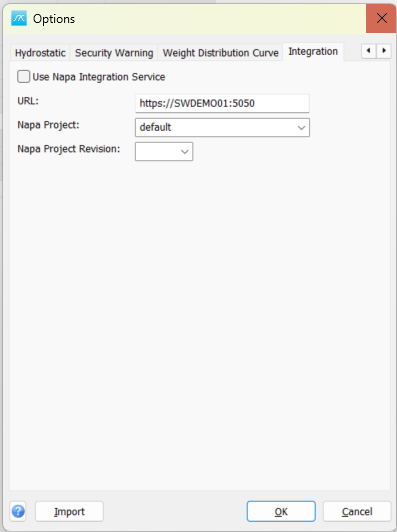
Use Napa Integration Service: Enable the configured Napa Integration Service connection. This switch does not itself import or synchronize data.
URL: Enter the service address used by the integration.
Napa Project: Select or enter the Napa project to use for integration.
Napa Project Revision: Select or enter the revision of that Napa project. Check the project and revision before running an integration operation.
Click OK in Options to save pending values, or Cancel to close without saving pending Options edits. Separately opened setup windows can save their own changes.
For setup and exchange commands, see 4.10.10 NAPA Integration.