Administration and Customization > The Options Window
Open View > Options and select the Workset tab. Each setting is described below using the label shown in the window.
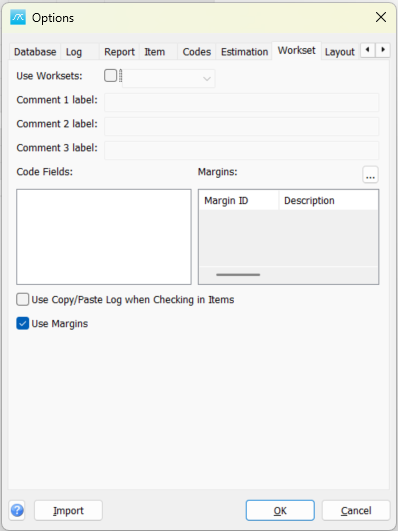
Use Worksets: Enable workset handling and select the code type used to identify worksets.
Comment 1 label: Set the label for the first workset comment field.
Comment 2 label: Set the label for the second workset comment field.
Comment 3 label: Set the label for the third workset comment field.
Code Fields: Select the code fields included in workset handling.
Margins: Select the margin definitions used for worksets. Use the browse button to inspect or configure the definitions.
Use Copy/Paste Log when Checking in Items: Use copy/paste logging when items are checked in from a workset.
Use Margins: Enable the configured workset margins.
Click OK in Options to save pending values, or Cancel to close without saving pending Options edits. Separately opened setup windows can save their own changes.